
The tester’s lights march neatly from 1 to 8. No missing wire. No short circuit. You plug the cable into the network, expecting a small victory, and get an unreliable connection instead.
Before replacing a switch or blaming a driver, meet the split pair Ethernet cable: a wiring mistake that can pass a simple continuity check while sabotaging the electrical relationships that make twisted-pair networking work.
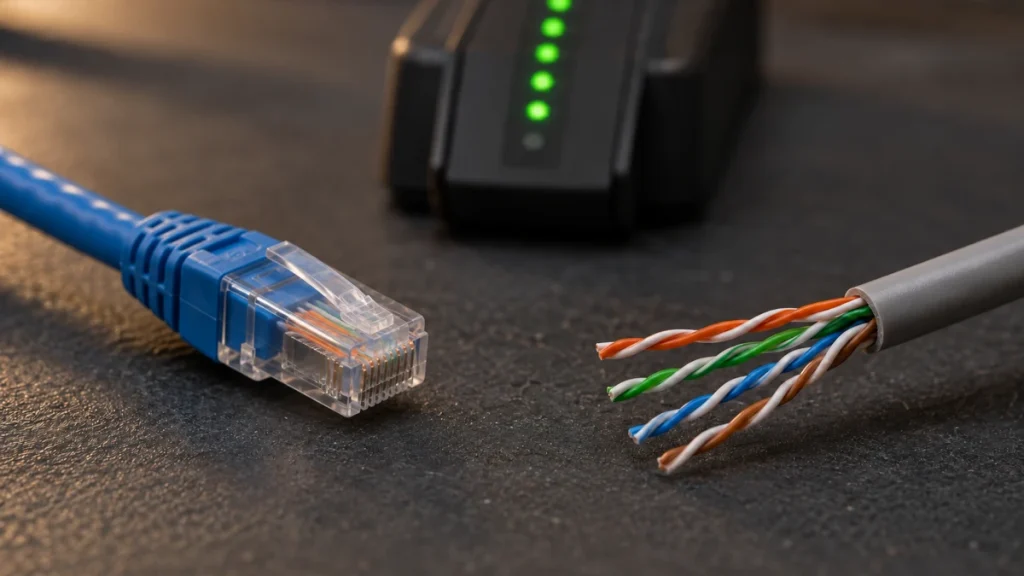
The tester has answered its question correctly. The surprise is that you needed to ask another one.
What is a split pair Ethernet cable?
A split pair occurs when the two conductors assigned to an Ethernet signal pair come from different physical twisted pairs inside the cable. In the particularly deceptive case, the same mistake is made at both ends, so pin-to-pin continuity remains correct.
Pin 1 reaches pin 1. Pin 2 reaches pin 2. All eight conductors can pass that check. Yet some conductors that should travel together as a twisted pair have been separated electrically.
Imagine a relay team whose runners all reach the correct stadium but have been assigned the wrong partners. Checking the destination does not check the team.
That distinction is the whole mystery: eight correctly connected individual wires do not necessarily make four correctly connected pairs.
Why the twists are doing real work
An Ethernet cable is an engineered transmission medium, not simply eight convenient pieces of copper in a sleeve. Our twisted-pair cabling overview introduces its physical construction.
Ethernet over balanced twisted pairs uses differential signaling: the receiver responds to the voltage difference between the two conductors of a pair. Interference that couples equally onto both conductors appears as common-mode noise and can be largely rejected.
Here is a deliberately simplified arithmetic example. Two conductor voltages of +0.5 V and −0.5 V differ by 1 V. Add +0.1 V of noise equally to both, and they become +0.6 V and −0.4 V. The difference is still 1 V. These are teaching values, not an Ethernet waveform specification.
Twisting helps the conductors experience similar interference along the cable. Cable geometry also helps control coupling between pairs. Real cables and receivers are imperfect, so noise rejection is never unlimited.
Split the intended pair across two different physical twists, and you undermine that geometry. Crosstalk between signal pairs can become severe. The copper may still conduct perfectly well; the transmission path no longer behaves as designed.
The mistake that looks almost reasonable
Look at an eight-contact plug and an apparently sensible idea presents itself: put one twisted pair on pins 1–2, the next on 3–4, then 5–6 and 7–8.
For conventional four-pair Ethernet cabling, that is the trap. The required pair groupings are 1–2, 3–6, 4–5, and 7–8. One pair straddles the middle pair in the connector.
| Arrangement | Pins occupied by each physical twisted pair | End-to-end continuity |
|---|---|---|
| Correct pair grouping | 1–2; 3–6; 4–5; 7–8 | Can be 1→1 through 8→8 |
| Illustrative split-pair mistake | 1–2; 3–4; 5–6; 7–8 | Can also be 1→1 through 8→8 |
In the faulty example, the same wrong arrangement is repeated at both ends. Pins 3 and 6 now use conductors from different physical pairs; so do pins 4 and 5. A tester that checks only which individual pins connect cannot distinguish the two rows.
This table explains the fault; it is not a substitute for a connector’s termination instructions. Follow the specified T568A or T568B color code and the connector manufacturer’s layout rather than improvising from adjacent pin numbers.
A split pair is different from a crossover
T568A and T568B preserve the same pin pair groupings while exchanging the orange and green pair assignments. Using A at one end and B at the other exchanges whole pairs, producing a crossover arrangement. It does not, by itself, split a pair.
Auto-MDI-X can accommodate supported straight-through versus crossover connections. It cannot physically reunite conductors that should have been twisted together along the cable.
This is why “the port sorts out the wiring automatically” is an incomplete explanation. Some wiring differences are intentional and supported. Others destroy properties the transceiver expects from its medium.
Why the symptoms can be misleading
A split pair may prevent a link from forming or contribute to errors and instability. The outcome depends on the affected pairs, cable length, equipment, signaling, and environment. There is no universal symptom that identifies it.
A connection running at 100 Mbps instead of the expected gigabit rate is a reason to investigate the physical path, but it is not proof of a split pair. Traditional 100BASE-TX uses two pairs, while 1000BASE-T uses all four. Opens or bad contacts on additional pairs can therefore explain some 100-Mbps-only connections too. A split affecting the pairs used by 100BASE-TX may stop that service as well.
Nor does a successful ping certify cabling performance. A brief exchange demonstrates that some packets passed under those conditions. It does not measure the cable’s crosstalk margin or establish compliance with a cabling category.
Choose the test that answers the real question
Our cable tester guide covers several measurement capabilities. The important distinction here is what a particular instrument actually tests.
| Test capability | What it helps establish | What it does not establish by itself |
|---|---|---|
| Basic continuity | Individual conductors reach the intended pins, without detected opens or shorts | Correct physical pairing or high-frequency performance |
| Verification with split-pair detection | Wiring faults, including incorrect pairing within the tool’s stated limits | Compliance with every requirement of a cabling category |
| Qualification | Whether the link supports a specified application or signaling rate | Full standards certification |
| Certification | Whether the tested configuration meets the selected cabling standard’s limits | That every other part of the network is working correctly |
An LED display does not automatically mean a tester is continuity-only: some verification instruments with LEDs detect split pairs. Read the capabilities, including any minimum cable length for that function. Also, do not assume that a switch’s built-in cable diagnostics include split-pair detection.
A practical way to solve the mystery
- Substitute a known-good patch cord. Keep the same devices and ports where practical. If a wall run remains in the path, replacing a patch cord tests only that part of the connection.
- Inspect the pair assignments. Check plugs, wall jacks, and patch-panel terminations against the intended wiring scheme. Matching an improvised color order at both ends is not enough.
- Use a test that detects split pairs. Follow the instrument’s instructions and length limits. For new structured cabling, obtain the required certification results for the appropriate link configuration.
- Repair and retest. Replace a suspect patch cord or reterminate the affected connection using compatible components. Preserve pair twists close to the termination as the connector manufacturer specifies, then check wiring and the required performance again.
These steps complement the broader practices in our network cabling guide. They are a troubleshooting workflow, not results from a measured installation.
The satisfying part of this mystery is that the lights were never the villain. A continuity test checks destinations. Ethernet also depends on the journey: which conductors travel together, and how carefully their relationship survives every termination.
Eight green lights can tell the truth. They just might not tell the whole story.
References and further reading
- Fluke Networks: Split Pair Identification — correct continuity with incorrect physical pairing.
- Fluke Networks: Wire Map Testing — split pairs, crossed pairs, and color schemes.
- Fluke Networks: Copper Cabling’s Balancing Act — differential signaling, noise, and geometry.
- Cisco: Connector and Cable Specifications — pin groupings, two-pair and four-pair connections, and Auto-MDI-X.
- Fluke Networks: Verification, Qualification and Certification — the different questions these tests answer.
- Fluke Networks: MicroMapper — an example of an LED-based verifier with split-pair detection.
- Fluke Networks: Ethernet Split Pair Error Detection — detection methods and product-specific length limits.
- Fluke Networks: What’s Wrong with My Cable? — termination faults and troubleshooting.