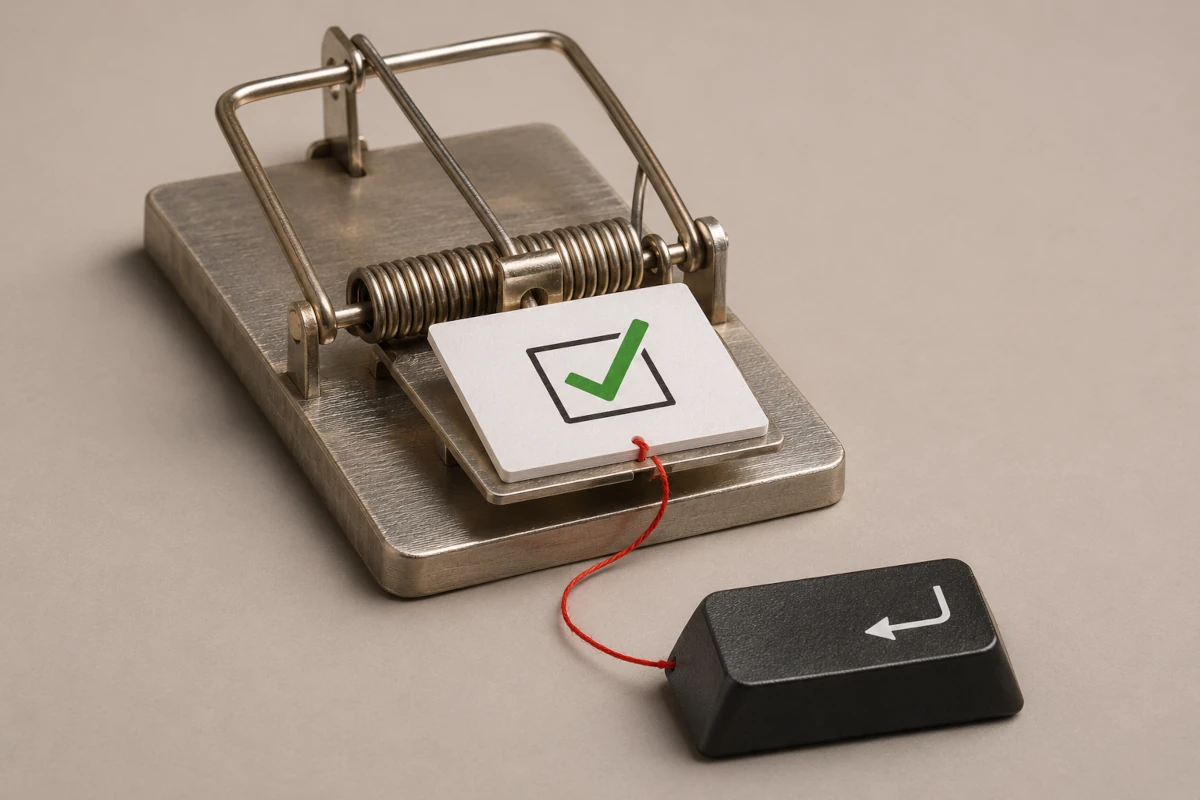
You open a report somebody sent you. A familiar-looking verification box blocks the page. You click it, expecting to prove that you are human. Instead, the page tells you to open a system tool and paste a “verification” instruction.
The task has quietly changed. You arrived to read a document; now a stranger is asking you to execute something on your computer.
ClickFix attacks use that change of task to deliver malware. The attacker supplies the instruction, but persuades the user to launch it. The useful warning sign is the requested action: a human-verification challenge should not require you to run a command in a terminal or the Windows Run dialog.
What are ClickFix attacks?
ClickFix is a social-engineering technique that presents a malicious command as a necessary fix or verification step. The lure might be a fake CAPTCHA, a browser error, an update notice, or a document that supposedly cannot open until you follow its instructions. Switzerland’s National Cyber Security Centre described these patterns in a February 2026 advisory. [1]
The name describes the delivery technique. Different campaigns can deliver different malware, and reaching the page does not establish that the infection succeeded.
Like other forms of phishing and social engineering, the deception depends on what the target believes they are doing. Here, the proposed solution to a small inconvenience creates a much larger problem.
Follow the handoff from page to computer
Consider a fictional employee, Sam, trying to read an invoice. A page presents an imitation verification widget. Sam clicks the box, and the page displays further instructions. In a typical ClickFix chain, that interaction can also place a command on the clipboard. Microsoft has documented this behavior in real campaigns. [2]
| What Sam sees | What can actually happen | Why it matters |
|---|---|---|
| A familiar verification design | A page imitates a trusted service’s appearance. | The graphic can be copied. |
| A button to continue or copy a verification item | The page writes attacker-chosen text to the clipboard. | Visible text and copied text can differ. |
| Instructions to use a system tool | Sam moves the copied text into an execution-capable interface. | The text is leaving the browsing context. |
| A final verification or repair step | The operating system runs the instruction, if execution is allowed. | The process can attempt downloads or other actions. |
The clipboard is the courier. Websites can use browser APIs to write text to it when the browser’s security requirements are met. This does not require them to read everything previously on the clipboard. MDN documents the Clipboard API’s secure-context and access restrictions; behavior depends on the browser and interaction. [3]
That is why “I didn’t download a file” is an incomplete account of what happened. The initial action may be executing a command that attempts to retrieve the next stage. Security software can still block that chain.
A real CAPTCHA doesn’t need your command line
Cloudflare’s documentation describes Turnstile as a browser-based challenge that normally runs in the background, sometimes asking the visitor to click a checkbox. The website validates the resulting token. It doesn’t ask the visitor to paste operating-system commands. [4]
A page copying that appearance has not become a genuine Turnstile challenge. It may be hosted on an attacker-controlled site or displayed through a compromised legitimate website.
Our guide to why HTTPS does not mean a website is safe explains another source of misplaced confidence. HTTPS protects the connection to the site you opened. It doesn’t approve the instructions the site gives you.
Check the requested action even when the branding is familiar and the connection is encrypted. A challenge that asks you to open Run, PowerShell, Terminal, or another command-capable interface has crossed the boundary that matters.
Why the trick works without a stolen password
The pretext gives the user a practical goal: finish the verification, fix the error, or get back to the document. The steps can look like a short technical ritual. The person needn’t understand the copied text to believe it belongs to that task.
This is related to the problem illustrated by device code phishing: a real tool or service can perform a harmful action when an attacker misrepresents its purpose. In one case the induced action authorizes a session; in ClickFix it can start a local process.
Running under a normal user account also isn’t the same as having no useful permissions. A process may be able to reach files, browser data, and network resources available to that user. The Swiss advisory specifically warns about infostealers and stolen session cookies. [1]
That doesn’t mean every ClickFix payload defeats every protection, or that all browser credentials are automatically readable. The outcome depends on the payload, device state, permissions, and controls. Refusing an administrator prompt is sensible, but it doesn’t undo a command that already ran with ordinary user rights.
The 2026 campaigns extend beyond one fake checkbox
Microsoft’s August 28, 2026 report described TerminalFix, a ClickFix variant using a fake Cloudflare verification overlay to induce execution through Windows Terminal or PowerShell. The investigated chain included a reverse-tunnel implant that could give the attacker a path into the organization’s network. [5]
A computer can therefore become more than a place to steal passwords. It can become a foothold for reaching other systems. That was a capability of the reported campaign, not a claim that every fake CAPTCHA installs the same implant.
The technique is also not confined to Windows. In August 2026, Microsoft documented a macOS ClickFix operation that persuaded targets to run Terminal commands and delivered information-stealing malware. [6]
Across ClickFix attacks, the operating system, pretext, and payload can change. The recurring feature is the request to turn an instruction from a webpage into executable activity on the device.
What to do depends on how far you went
If you encounter the lure, stop following its instructions. You don’t need to test the command to determine whether the request is appropriate.
| What happened | Immediate next step |
|---|---|
| You saw the page or clicked a box, but didn’t paste into a command-capable tool. | Close the page and report it if relevant. Overwrite the clipboard with harmless text before pasting elsewhere. This alone is not evidence that an OS command ran. |
| You pasted into Run, a terminal, or another execution-capable field. | Cancel without confirming. If anything ran—or you cannot tell—treat it as possible execution and escalate. |
| You ran the instruction, even if it showed an error or seemed to do nothing. | Treat the device as potentially compromised. Start containment and investigation; closing the webpage cannot recall an executed command. |
Pasting into a terminal deserves particular care. Depending on the shell and paste protections, newline characters can cause commands to run during the paste itself. Microsoft’s Windows Terminal documentation explains why multiline paste warnings exist. “I never pressed Enter” is therefore not a universal safety test. [7]
If execution occurred or is uncertain:
- Contain the device. On a work device, follow the organization’s isolation procedure and notify security or IT immediately. For a personal computer, disconnect Wi-Fi and unplug Ethernet while arranging help. CISA’s response guidance identifies network isolation as an initial containment measure and warns that powering down destroys volatile evidence. [8]
- Report through a known channel, preferably from another device. Give the security team or trusted technician the time, page address, and actions you remember. Don’t experiment with the pasted instruction.
- Protect affected accounts from a trusted device. Review relevant accounts, change exposed credentials, and use the services’ session-revocation controls. In a workplace, have IT assess refresh tokens and application sessions as well as passwords. Revocation behavior varies; Microsoft Entra cannot directly revoke a separate session cookie issued by an application. [9]
- Investigate and recover the computer. Let the workplace team preserve evidence before cleanup. On a personal Windows PC, use established security software rather than the page’s offered “repair.” Microsoft recommends updated protection and a full scan for suspected infection; persistent threats may require further recovery steps. [10]
A clean scan cannot undo data already stolen. The computer and the accounts it could access need separate attention.
Defenses that address the actual handoff
Training works better when it identifies the specific boundary: a website’s verification request is not permission to execute its commands. Give employees a known reporting route and make it easy to ask for help without blame.
Microsoft’s ClickFix guidance also recommends layered browser, email, network, and endpoint protections. These controls can interrupt delivery or execution; user involvement does not make security software powerless. [2]
For administrators, use the endpoint and network records to reconstruct what ran after the visit. Correlate the person’s report with process execution, downloads, and connections. A legitimate interpreter’s name alone doesn’t identify an attack, and the lack of a browser download doesn’t rule one out.
The habit to keep is simple: judge a verification by the action it requests. A convincing checkbox can be copied. The decision to move its instructions into a command-capable tool is the handoff the attacker wants.
Sources and further reading
- 1. Swiss National Cyber Security Centre — ClickFix warning, February 24, 2026
- 2. Microsoft Threat Intelligence — Think before you Click(Fix), August 21, 2025
- 3. MDN — Clipboard writeText method and security considerations
- 4. Cloudflare — How Turnstile challenges work
- 5. Microsoft Security Research — TerminalFix campaign, August 28, 2026
- 6. Microsoft Security Research — macOS ClickFix campaign, August 5, 2026
- 7. Microsoft Learn — Windows Terminal interaction settings and paste warnings
- 8. CISA and MS-ISAC — Ransomware Guide, containment and evidence considerations
- 9. Microsoft Learn — Revoke user access in Microsoft Entra ID
- 10. Microsoft Support — Antivirus and antimalware software FAQ