
Your VPN says “connected.” A small ping succeeds. Yet a website keeps loading, a remote desktop freezes, or a file transfer starts and then stalls. Before changing DNS servers again, consider a less obvious question: are the packets becoming too large for the route they need to travel?
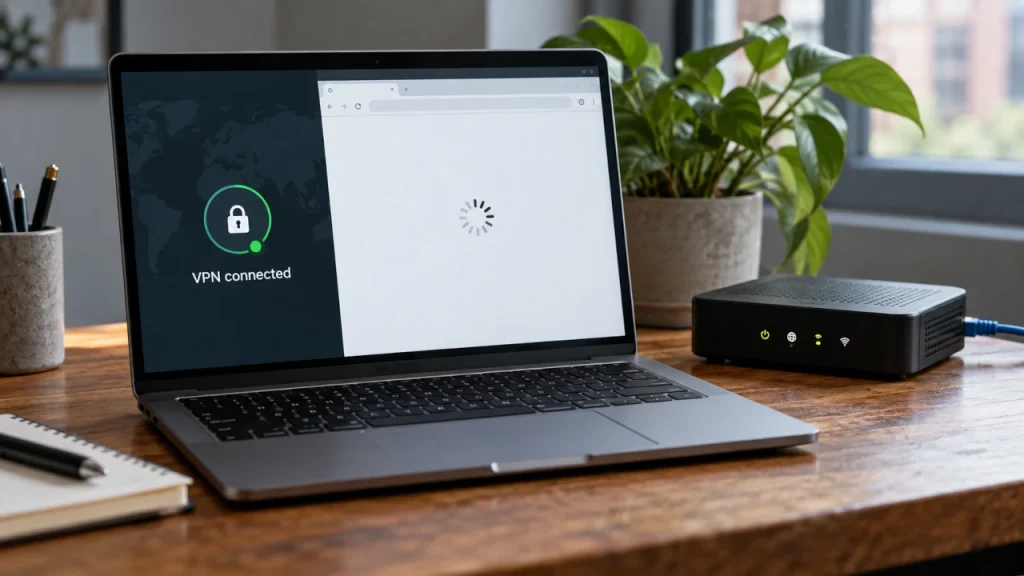
If your VPN is connected but some websites will not load, an MTU mismatch or broken Path MTU Discovery is worth investigating. It is a hypothesis to test, not a diagnosis based on the loading spinner alone.
Why a Working VPN Can Still Have a Packet-Size Problem
Maximum Transmission Unit (MTU) is the largest IP packet a link can carry without IP fragmentation. A typical Ethernet interface uses an IP MTU of 1,500 bytes; the Ethernet header and trailer are outside that number.
The path MTU is the smallest MTU along a particular route. Your laptop’s local interface can accept 1,500-byte packets even when a link farther along the route cannot.
A VPN adds another constraint. It wraps the original packet in additional headers and, depending on the protocol, encryption-related overhead. That larger outer packet must fit the underlying path, or the tunnel implementation must handle the size difference appropriately. Our step-by-step explanation of encapsulation shows how these layers accumulate.
For a simplified example, suppose an underlying path supports 1,500 bytes and a tunnel needs 80 bytes of overhead. That leaves 1,420 bytes for the inner IP packet if the outer packet is to remain unfragmented. The 80-byte overhead is illustrative, not a universal VPN value. The actual allowance depends on the VPN protocol, options, and outer IP version.
The MTU Black Hole: Small Packets Pass, Larger Ones Disappear
Classic IPv4 Path MTU Discovery sends packets with the Don’t Fragment flag set. If a router cannot forward one because it exceeds the next link’s MTU, it should return an ICMP error telling the sender that fragmentation is needed. The sender can then reduce packet size.
If the error is filtered, lost, or mishandled by a tunnel, the sender may keep transmitting packets that cannot get through. This is a Path MTU Discovery black hole. Small control packets can succeed while larger data packets repeatedly fail.
IPv6 routers do not fragment packets in transit. They send ICMPv6 Packet Too Big messages so the source can adjust. Blocking those messages can create similar problems. Some modern transports also use probing techniques that reduce dependence on ICMP; that does not make incorrect tunnel MTU settings harmless.
This is why a normal ping test is useful but incomplete: its small default payload does not exercise the same packet sizes as a transfer.
First, Check Whether the Symptoms Fit
MTU becomes a stronger suspect when several clues appear together:
- The affected site or transfer works without the VPN but repeatedly stalls with it.
- Name resolution succeeds, and at least some traffic reaches the destination.
- Small packets pass, while larger unfragmented probes consistently fail.
- Reducing the relevant tunnel MTU restores the same failing operation.
Also consider DNS failures, missing routes, proxies, TLS inspection, IPv6 routing problems, and sites that block VPN exit addresses. A certificate warning, a DNS error, or an explicit access-denied response is not evidence of an MTU black hole.
If the VPN uses split tunneling, establish whether the failing traffic actually enters the tunnel. A test that bypasses it cannot diagnose its packet-size limit.
Test Path MTU on Windows or Linux
Choose an IPv4 destination that answers ICMP Echo Requests and is reached through the route you are investigating. Ideally, test the failing destination itself. If it does not answer ping, another host through the same VPN can test part of the path, but cannot prove the MTU to the original website.
Replace TARGET_IP in the commands below with that destination’s actual IPv4 address. These are IPv4 tests; they do not validate a website’s IPv6 route.
Windows
Open Command Prompt and compare a small probe with a larger one:
ping -4 -n 4 -f -l 32 TARGET_IP
ping -4 -n 4 -f -l 1472 TARGET_IP
The -f option sets Don’t Fragment. The -l value is the ICMP data length, not the complete IP packet size. With a standard 20-byte IPv4 header and an 8-byte ICMP Echo header, a 1,472-byte payload produces a 1,500-byte IP packet.
If the larger probe reports that fragmentation is needed, try a smaller payload, such as 1372. Then increase or decrease the value to find a repeatable boundary.
Linux with iputils ping
Use the equivalent IPv4 probes:
ping -4 -c 4 -M do -s 32 TARGET_IP
ping -4 -c 4 -M do -s 1472 TARGET_IP
Here, -M do prohibits fragmentation and -s specifies the payload size. Linux can also reject a probe locally because it exceeds the interface MTU or a cached path-MTU limit. Such a message identifies a known size restriction; it does not mean that a remote router received the packet.
Interpret the Results
| Observation | What it tells you |
|---|---|
| Small and large probes succeed | Those sizes work for the tested probes. This does not validate every website, protocol, or direction. |
| Small probes succeed; large probes produce a fragmentation-needed or message-too-long error | A size limit is being reported. Establish whether the error is local or returned from the path. |
| Small probes succeed; large probes only time out | A size-dependent problem is possible, but filtering, loss, or different forwarding behavior can look similar. |
| All probes time out | The destination may reject ping, or the route may be broken. This test cannot establish an MTU boundary. |
For example, if a payload of 1372 repeatedly succeeds and 1373 repeatedly fails with an explicit size error, adding the 28 bytes of IPv4 and ICMP headers gives an observed 1,400-byte boundary. A success without a reliable upper boundary establishes a working size, not an exact maximum. Do not apply this IPv4 calculation to IPv6 or treat it as a measurement of every VPN path.
Fix the Size Constraint Where It Occurs
First, correct the VPN or tunnel MTU. Use the client or gateway’s supported setting and its protocol-specific guidance. Record the original value, make one change, reconnect, and repeat the exact site or transfer that failed. A diagnostic reduction to 1,400 bytes can be useful when the evidence points there; it is not a universal optimum.
Second, check Path MTU Discovery feedback. Relevant firewall policies should permit valid IPv4 fragmentation-needed and ICMPv6 Packet Too Big messages. Administrators should also check whether the tunnel gateway correctly processes errors for encapsulated packets. The ICMP overview explains the broader role of these control messages.
Third, consider TCP MSS clamping on a managed gateway. Maximum Segment Size (MSS) limits the TCP data a peer is asked to send in a segment. A gateway can lower the advertised MSS in TCP SYN packets so subsequent traffic fits a constrained path. With a 1,400-byte effective inner IPv4 MTU, the fixed-header calculation is 1400 - 20 - 20 = 1360 bytes. Senders must also account for any additional IP or TCP options when constructing packets.
MSS clamping is TCP-specific. It does not directly resize UDP traffic, including QUIC used by HTTP/3. It also depends on the gateway seeing the relevant handshake and using an appropriate limit; start new connections when testing a changed rule. It is not a substitute for correct tunnel sizing and functioning MTU discovery.
Confirm the Repair with the Application
A successful repair should restore the operation that originally failed: loading the affected page, transferring the file, or using the remote session. Retest after reconnecting the VPN and check both upload and download behavior. If only IPv4 was tested, investigate IPv6 separately before declaring the website problem resolved.
The useful diagnostic question is not simply “can I reach the server?” It is “can this route carry the packet sizes this application actually sends?”
If you are hosting a VPN server at home and incoming connections never reach it, investigate that earlier failure separately: our port-forwarding guide covering CGNAT and double NAT addresses inbound reachability.
References
- RFC 1191: Path MTU Discovery — IPv4 path MTU and ICMP feedback.
- RFC 2923: TCP Problems with Path MTU Discovery — black holes and small-packet versus bulk-transfer symptoms.
- RFC 8201: Path MTU Discovery for IPv6 — IPv6 Packet Too Big processing.
- RFC 9293, Sections 3.7.1–3.7.2 — TCP MSS, header allowances, and MTU discovery.
- RFC 8899: Packetization Layer Path MTU Discovery for Datagram Transports — probing and complications introduced by tunnels and middleboxes.
- Microsoft: ping — Windows command parameters.
- iputils ping implementation — Linux options and PMTU policy.
- Netfilter: TCPMSS — MSS clamping and its limitations.